Miscellaneous Refund Authorization

Contents
 This function is only available to designed individuals.
Miscellaneous Refunds require authorization from a designated person in an office. Miscellaneous Refund Authorization can be approved in batch mode all at once, or can be individually approved or voided.
To authorize Miscellaneous Refunds
From the Main Window Go To ..... |
Steps to Follow ..... |
||||||||
|---|---|---|---|---|---|---|---|---|---|
Transaction Menu |
|
||||||||
Command Line |
|
1. Process depending on the scenario as follows:
To ... |
Do this ... |
||||||||
Authorize all refunds at one time |
|
||||||||
Authorize or Void one refund at a time |
|
 To inquire and see more information about a refund, click the
2. The Confirm Certification dialog appears.
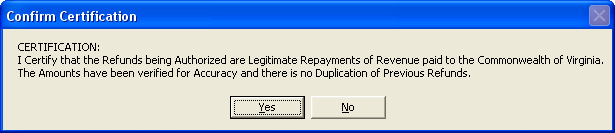
If you certify the legitimacy of the refunds, click the Yes button.
3. Click the Close  button to close the Transaction Details dialog.
4. Click the Close button to complete the transaction.
See Also